
Someone finds your electrical business through Google, checks your service page, then leaves. A week later, they ask for a quote. You send it, hear nothing, and assume they hired someone else. They may still be comparing options, waiting for a property manager’s approval, or wondering whether your price includes the permit.
A customer journey map for a local business connects those moments. It shows what the customer needs to decide, which questions remain open, and where your business can help them move forward. That gives you a practical way to convert visitors to customers while keeping enquiries, quotes, booked appointments, and accepted paid work separate.
Build a Customer Journey Map Local Business Owners Can Act On
Start with 1 service and follow its buyer journey from discovery to repeat business. This keeps the map specific enough to use: an emergency repair and a planned panel upgrade involve different questions, urgency, and approval steps.
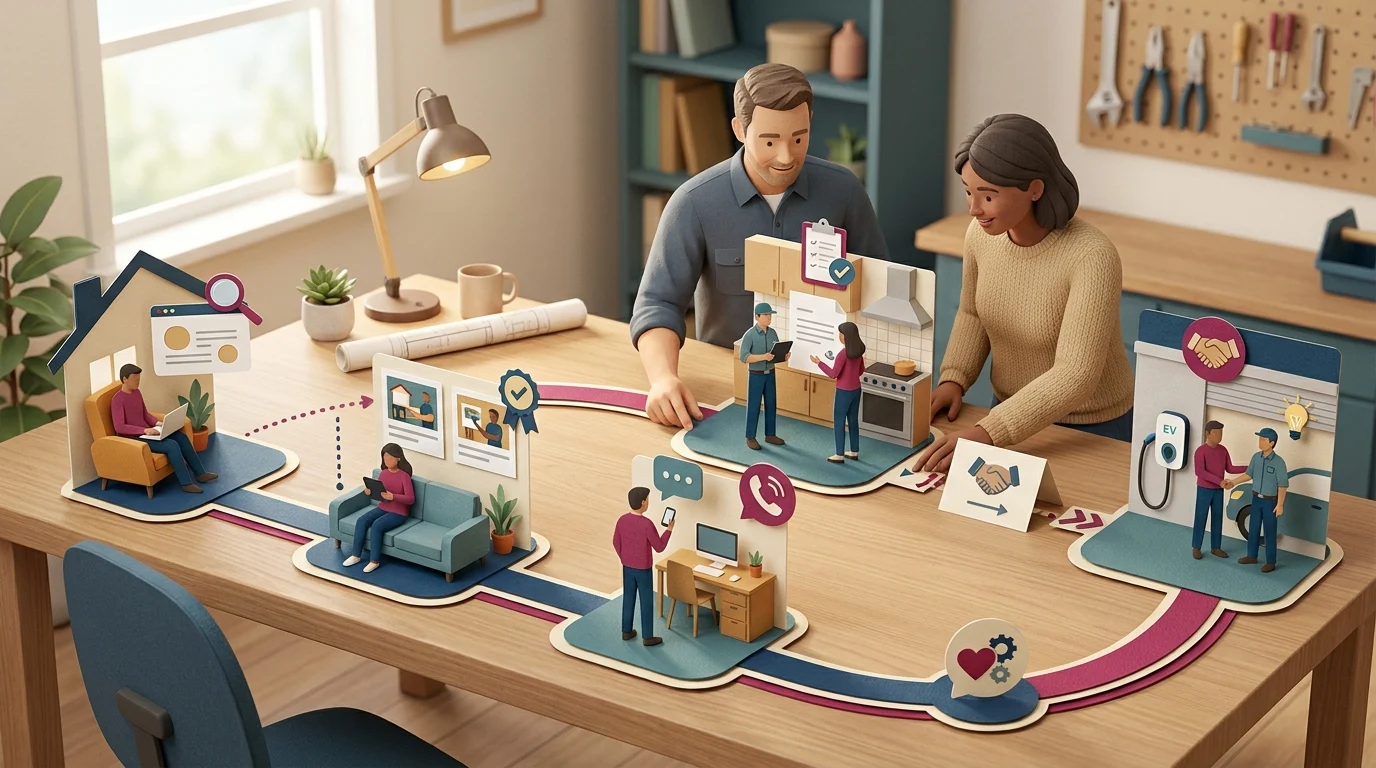
Consider this hypothetical example: an electrical contractor serving Kingsville, Ontario and the Windsor-Essex Region. A homeowner wants an EV charger installed. Here’s how their decisions might unfold.
Discovery: Can You Handle My Job?
The homeowner searches Google or asks a neighbour for a recommendation. Their first questions are whether you install residential chargers and serve their address. Your Google Business Profile and service page help them decide whether to investigate further.
Evaluation: Do I Trust Your Approach?
They compare your explanation of the installation process, relevant reviews, and project photos. They want to understand panel capacity, permits, and what affects the price. Their decision is whether your business deserves a conversation.
Enquiry: What Happens When I Contact You?
The homeowner calls or submits a form. Explain what information you need and what happens next, such as an assessment before quoting. Record the enquiry separately from any quote or booked appointment; each represents a different level of commitment.
Purchase: Am I Ready to Authorize the Work?
A written quote clarifies scope, exclusions, payment terms, and scheduling. The homeowner decides whether to accept paid work. Keep that acceptance distinct from an assessment booking so your map reflects the actual sale.
Repeat Business: Would I Hire You Again?
After installation, the homeowner needs operating guidance, paperwork, and a clear route for questions. A useful handover gives them reasons to remember you when another electrical job comes up.
Sketch these stages on paper for a quick discussion, or use Google Sheets if several people will update the map. For each stage, capture the customer’s question, the touchpoint they use, and the decision they’re making. Those details guide your Smart Digital Doorway, a system that attracts attention, answers questions, builds trust, captures enquiries, and supports purchase decisions.
Find Where Interested People Drop Out
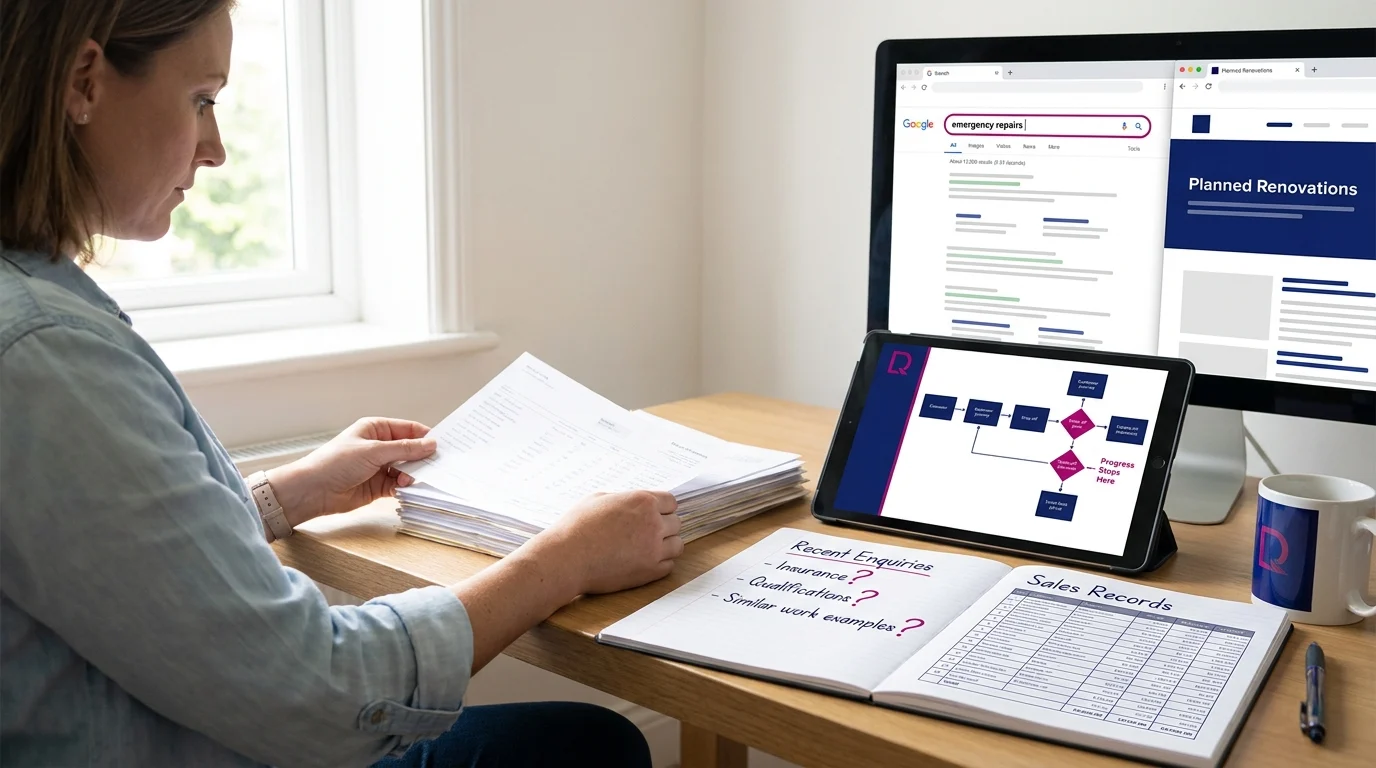
Start with recent enquiries and sales records. A useful customer journey map for a local business shows where progress stops and what evidence might explain it.
Check the Promise Against the Page
Compare the search terms available in Google Search Console with the pages those searches reach. Someone looking for emergency repairs may land on a page describing planned renovations. That mismatch deserves investigation.
At evaluation, look for unanswered buying questions. Do enquiries repeatedly ask about insurance, qualifications, or similar completed work? Those questions suggest gaps in visible proof. A visitor leaving a page gives you much thinner evidence about their reason.
Test the Enquiry Yourself
Submit your form on a phone. Check required fields, error messages, submission confirmation, and delivery to the right inbox. An upload requirement or broken submit button can strand someone who’s ready to talk.
Compare successful test submissions with received messages. Use available form-start and completion data to investigate friction; without that tracking, the number of people who abandon the form remains unknown.
Trace the Gaps After Contact
Add these fields to your enquiry log: enquiry ID, received date and time, requested service, first response date and time, quote sent date, appointment status, paid-work acceptance status, last follow-up date, and stated loss reason. Leave unknown reasons marked unknown.
Use Google Sheets for a shared manual review; a CRM such as HubSpot suits teams that need assigned follow-up tasks. Match records using the enquiry ID so several messages from one prospect stay together.
Check delays between receipt, response, and quote delivery. Then inspect unanswered quotes for missing follow-up. These gaps identify places to investigate; they don’t establish why someone left.
A prospect saying “we hired someone while waiting” provides evidence of a response problem. Silence leaves the cause uncertain. Keep that distinction visible when choosing which Smart Digital Doorway to repair first.
Align Your Smart Digital Doorways With the Next Decision
A visitor comparing service options needs enough information to choose a direction. Someone with a defined problem may be ready to request a quote. Matching those next steps helps you convert visitors to customers without rushing the buyer journey.
A Smart Digital Doorway is a system that attracts attention, answers questions, builds trust, captures leads, and converts prospects into customers. Each doorway should support the decision someone can reasonably make at that point.
Match the Page to the Arrival
Carry the promise of the search result, referral, or social post onto the destination page. A post about basement moisture should lead to information about diagnosing and addressing basement moisture. A general homepage makes the visitor search again.
For a hypothetical waterproofing contractor, that page could explain common symptoms, assessment scope, access requirements, and what determines the price. The next decision becomes manageable: does this service fit the problem?
Offer a Next Step That Fits the Risk
Use direct booking for a clearly defined appointment with known duration, scope, and any fee disclosed. Calendly can suit that situation when available slots reflect actual capacity.
A short enquiry form suits work requiring scope checks before scheduling. WPForms on WordPress can collect the service needed, a brief description, and contact details. Ask only for information someone on your team will use to decide what happens next.
Keep educational material freely accessible when visitors are still checking fit. Requesting contact details should come with a clear explanation of the response they’ll receive.
Keep the Handoff Consistent
Use button labels that name the action: “Request an Assessment” or “Book a Paid Consultation.” Repeat that expectation in the confirmation message, including who responds and the response window your team can support.
Record each page’s intended next decision on your customer journey map. That gives your local business a concrete test: does the page supply enough information to take that step confidently?
Connect the Enquiry to the First Sale

A captured enquiry needs an owner who can move it towards a decision. This is the operational side of a Smart Digital Doorway: assigning responsibility, checking fit and keeping the next action visible until the prospect decides.
Give Each Enquiry an Owner
Use Google Sheets for a shared manual tracker when enquiry volume is manageable; consider HubSpot CRM when several people need assigned tasks and reminders. Either requires someone accountable for maintaining it.
Create fields for customer name, contact details, enquiry received time, assigned owner, first personal response time, service requested, qualification notes, stage, quote sent date, quoted amount, next action, due date, decision date, outcome reason and payment received date.
Define stages separately: new enquiry, qualifying, appointment booked, quote sent, accepted, declined and closed without a decision. Record payment separately so accepted work and paying customers remain distinguishable.
Set a Response Standard You Can Keep
Assign a backup for absences. An adjustable example is a personal reply within 4 business hours, with after-hours enquiries reviewed the next business morning. An automated acknowledgement has its own purpose; measure the personal response separately.
During qualification, confirm scope, service area, desired timing and who approves the spend. Discuss budget where it helps establish fit. Record constraints in qualification notes before preparing a quote or scheduling an assessment.
Deliver the Quote With a Decision Path
State scope, exclusions, price, payment terms and how acceptance works. Agree on a follow-up date and record it as the next action and due date. Follow-up should resolve a question about scope, timing or approval.
Review overdue actions, time to personal response and days since each open quote was sent. Compare quotes sent with accepted work, then check payment received dates separately. Outcome reasons can reveal capacity mismatches, unclear scope or delayed approvals. Those patterns show where interested prospects stall and which operational fix deserves attention first.
Make the First Sale the Start of Loyalty
Payment creates another set of customer questions: Who’s handling this? What happens next? What do I need to prepare? The customer journey a small business manages continues through delivery, support and the decision to return.
Make the Handoff Dependable
Build an onboarding step into your Smart Digital Doorway. Send a welcome message with the responsible person’s name, the delivery sequence, customer preparation requirements and the process for raising concerns.
For a consultant, that might mean a document checklist and kickoff agenda. For a specialized trade, access instructions and a description of what the crew will leave behind are more useful. Match the message to the work purchased.
Confirm receipt when missing information could delay delivery. A scheduled message needs someone responsible for reading the reply.
Check the Outcome After Delivery
Add service completion date, check-in date, customer feedback and unresolved issue to your tracker before scheduling post-service follow-up. Ask whether the customer can use what you delivered and whether anything needs attention.
A check-in after 7 days is an adjustable example. Choose timing that gives the customer enough experience to answer. Record concerns, assign the next action and confirm when the issue has been resolved.
Give Customers a Relevant Reason to Return
Add recommended repeat service, reminder date and communication permission to the tracker. Base reminders on an actual maintenance interval, renewal deadline or agreed review cycle, with timing adjusted to the customer’s circumstances.
Google Calendar suits an owner managing occasional reminders. A CRM such as HubSpot suits shared ownership and larger follow-up volumes. Check applicable consent requirements before sending promotional messages.
Request an honest review once customers have had time to assess the work, using the same approach regardless of sentiment. A referral request fits naturally after a customer describes a useful outcome. Keep it optional, specific and separate from resolving any outstanding concern.
What To Do Monday Morning

Start with 5 recent enquiries, including people who bought and people whose conversations stalled. Use consecutive records where possible so you’re examining the ordinary buying experience. Reserve a short working session with whoever handles incoming requests.
Trace What Actually Happened
Use your existing tracker. Before reviewing records, confirm it includes enquiry identifier, first known source, customer question, touchpoints with dates, current stage, supporting evidence and next action. Leave unknown sources marked unknown.
Read the emails, form submissions and call notes. Sketch each journey in sequence, from the first known interaction to its current stage. Keep enquiries, quotes, booked appointments and accepted paid work separate. An appointment alone doesn’t establish a sale.
Choose One Evidenced Leak
Look for a repeated obstacle supported by those records: an unanswered question, a missing handoff or a promised response that never arrived. Silence alone leaves the reason uncertain. Record your working explanation and the evidence beside it.
Prioritize the obstacle closest to a buying decision that your team can repair. With only 5 enquiries, treat the pattern as a useful lead for investigation. It’s too small a sample to establish how often the problem occurs.
Assign the Repair and Set the Review
Add repair owner, proposed change, completion date, baseline period, eligible enquiry count, progressed enquiry count and review date to the tracker. Give one person responsibility for completing the repair and checking its effect.
Define “progressed” for the specific transition you’re repairing. For a quote handoff, that could mean accepted paid work among enquiries that received a quote. Record the baseline counts before changing anything.
Choose a review date that allows a normal buying cycle to pass. Keep other changes steady where practical, then compare the same transition over a comparable period. Note differences in enquiry source or job type that could affect the result.
Key Takeaways
A useful customer journey map gives a local business a shared view of what customers experience and where responsibility sits. Its value grows when the team can connect a stalled decision to evidence and a repair someone owns.
That’s how Doorways Into Your Business approaches a Smart Digital Doorway: as a connected system that attracts attention, answers questions, builds trust, captures enquiries and helps prospects become customers. Each handoff needs to carry enough context for the next person to respond properly.
The first review may reveal an improvement, an inconclusive result or an explanation that needs revising. Each outcome gives you something concrete to work with. Over time, that record helps you choose repairs with greater confidence and preserve the parts of the buying experience that already work well.
Want this fitted rather than figured out? Doorways Into Your Business helps owner-operators put systems like this in place. Book a free consultation.
Paul Hughes founded Doorways Into Your Business after more than five decades consulting across 30+ countries, from implementing early IBM email systems in the 1980s to running multi-million-dollar IT projects for global organizations. A St. Clair College graduate (1976), he settled in Kingsville, Ontario in 2019 to help local small businesses grow with practical “smart digital doorways”, websites, customer service, reviews, bookings, and payments, matched to what a business needs, not unnecessary technology.
All articles by Paul →