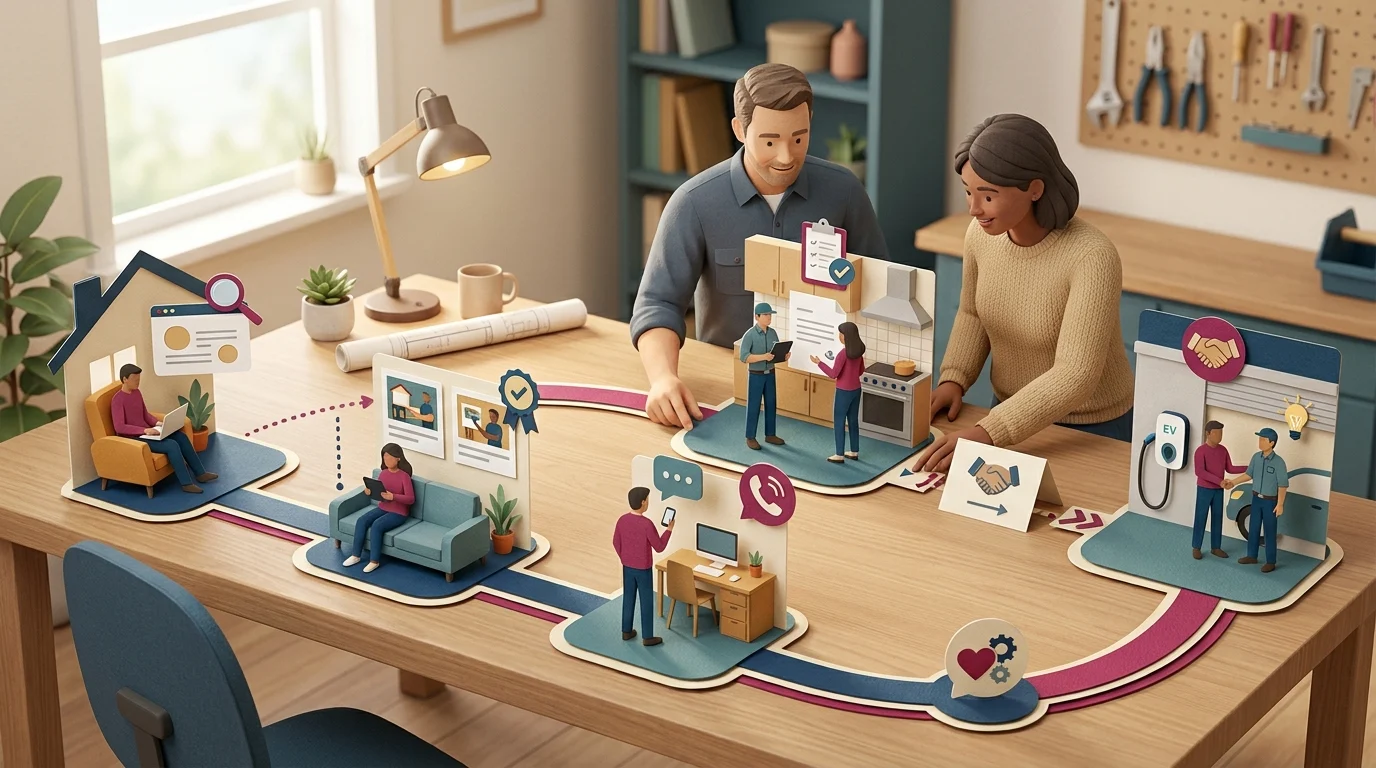

A customer walks past your Kingsville, Ontario storefront twice before ever calling. She reads three Google reviews on her phone, checks your website’s hours, and messages a friend to ask if you’re any good. By the time she books an appointment, she’s touched your business six or seven times without you knowing any of it happened. Most local business owners can describe their storefront and maybe their website. Few can map the full path a customer actually takes. That gap is where leads quietly disappear, and it’s exactly what a touchpoint mapping exercise is built to fix.
Why Customer Touchpoints Mapping Matters for Local Businesses

Customer touchpoints mapping is the process of listing every single point of contact a customer has with your business, before, during, and after a purchase. It sounds simple. In practice, most owners are surprised by how many touchpoints exist once they write them all down.
The Journey Is Longer Than You Think
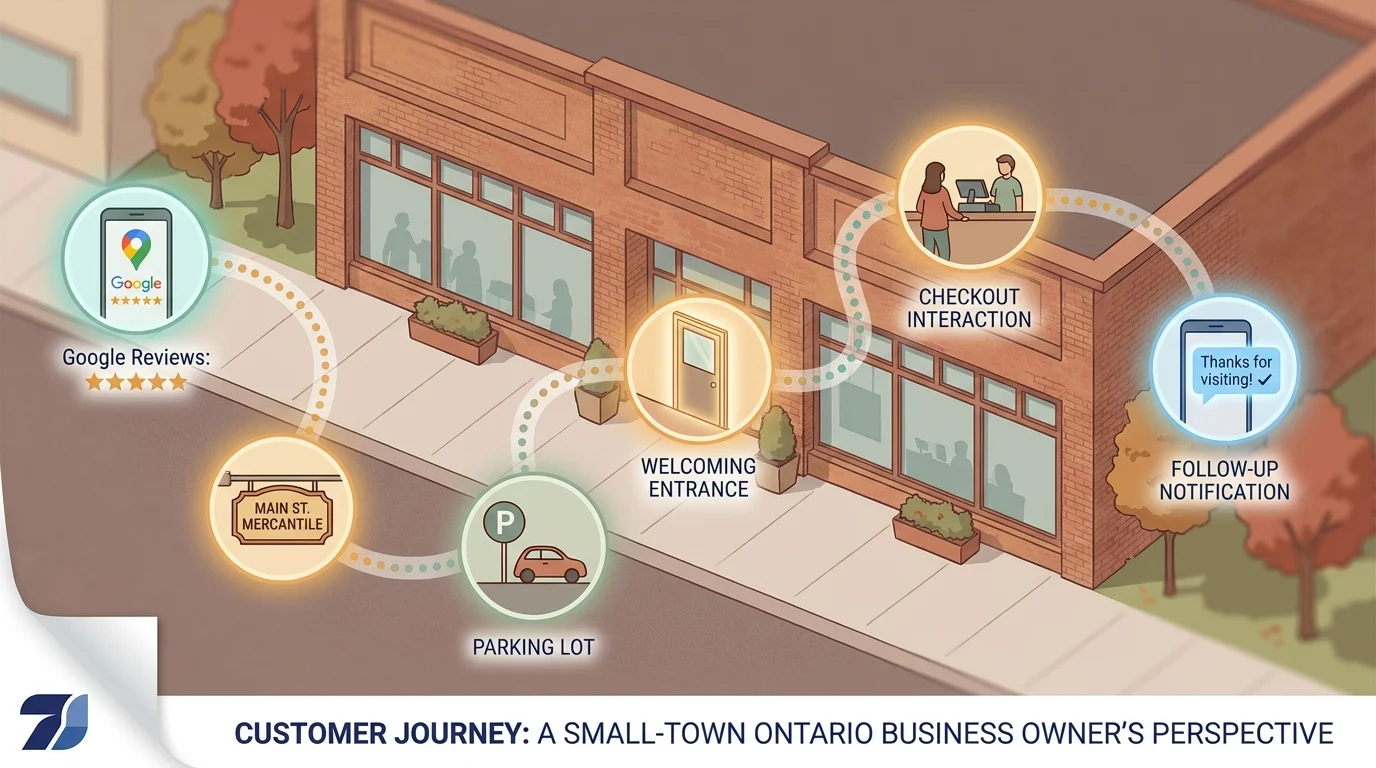
A customer rarely walks straight from “never heard of you” to “paying customer.” She sees a Facebook ad, checks your Google Business Profile, reads reviews, visits your website, calls with a question, walks in, and later gets a follow-up text. Each of those is a separate touchpoint, and each one can either build trust or quietly lose the sale.
Digital and Offline Channels Both Count
Owners often focus mapping efforts on the website or social media and forget the offline side entirely: the phone greeting, the signage out front, the receipt handed over at checkout, the voicemail message customers hear after hours. For small businesses across the Windsor-Essex Region, these offline moments often carry more weight than the digital ones, simply because local customers expect a personal touch.
Why This Matters More for Small Businesses
Large companies have entire departments dedicated to customer experience. A local business owner is often running the whole operation solo, which means touchpoints get built piecemeal over years, with no one stepping back to look at the whole picture. Mapping forces that step back. It turns a vague sense of “something isn’t converting” into a specific, fixable list of moments where customers are won or lost.
Step-by-Step Exercise: Identifying Every Touchpoint
Set aside 30 minutes and a blank sheet of paper. This exercise works best done by hand first, before organizing anything into a spreadsheet. The goal is volume, not polish. Write down every interaction you can think of, then sort it later.
Step 1: List Everything Before the Sale
Start with how someone finds you. Google search results, Google Business Profile, Facebook or Instagram, a friend’s recommendation, a drive-by glance at your sign. Write down each channel separately, even ones that feel minor.
Step 2: Track the Transaction Itself
Next, walk through the actual purchase. This includes the phone call, the parking lot, the entrance, the wait time, the checkout counter, and the way staff greet a stranger versus a regular. For service businesses, add the quote process, scheduling, and the appointment reminder.
Step 3: Capture What Happens After
Most owners stop mapping right after the sale closes. Push further. Does anyone send a thank-you text? Ask for a review? Follow up in three months? These post-purchase touchpoints often decide whether a customer becomes a repeat customer.
Step 4: Categorize the List
Once the list is long, sort each touchpoint into one of three buckets:
- Discovery: how customers find you
- Interaction: what happens during the sale
- Retention: what happens after they’ve paid
This is the same categorization used in customer touchpoints mapping for small local business owners across every industry, from a Kingsville, Ontario retailer to a Windsor-Essex Region contractor. The categories don’t change; only the specific touchpoints inside them do.
Spotting Gaps and Strengthening Weak Links
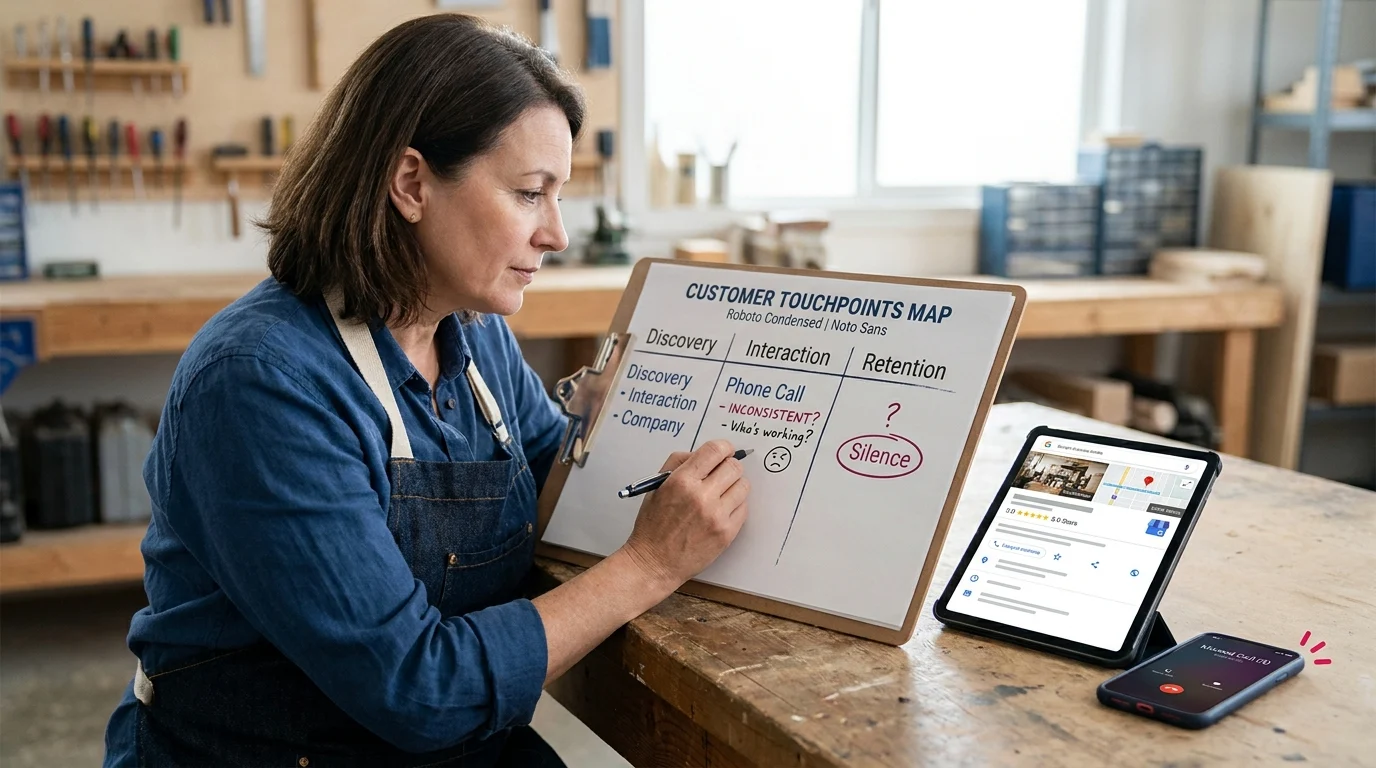
With the list categorized, the real work begins. Go through each touchpoint and ask one question: is this consistent, or does it depend on who happens to be working that day? Inconsistency is the most common gap owners find, and it’s usually invisible until it’s written down.
Look for Silence
Scan the Retention column first. Most local businesses find it’s nearly empty. No thank-you message, no review request, no follow-up. That silence after the sale is where competitors quietly pick off customers who would have otherwise come back.
Check for Contradictions
Compare the Discovery touchpoints against the Interaction ones. A polished Google Business Profile followed by an unanswered phone or a messy front counter creates a gap between promise and delivery. Customers notice the drop, even if they can’t name it.
Rank the Gaps by Impact
Not every gap deserves equal attention. Rank them by how many customers pass through that touchpoint and how much damage a bad experience there does. A missed callback affects every caller. A slightly slow thank-you email affects fewer people, less severely. Fix the high-traffic gaps first.
Assign One Fix at a Time
Pick the single weakest link and assign it an owner and a deadline. Maybe it’s a standard text template sent after every appointment. Maybe it’s a script for how staff answer the phone. Small, specific fixes stick better than a full overhaul attempted all at once.
Revisit the map every quarter. Touchpoints shift as staff, tools, and marketing channels change, and a map done once loses accuracy fast.
Key Takeaways

Mapping touchpoints only pays off when the gaps get fixed. Look for silence after the sale, contradictions between what’s promised and what’s delivered, and prioritize fixes by how many customers they touch. Start with one weak link, assign it clearly, and revisit the map regularly. For business owners in Kingsville, Ontario and the Windsor-Essex Region, this simple habit turns a scattered customer experience into a consistent one, and consistency is what keeps customers coming back.
Paul Hughes founded Doorways Into Your Business after more than five decades consulting across 30+ countries, from implementing early IBM email systems in the 1980s to running multi-million-dollar IT projects for global organizations. A St. Clair College graduate (1976), he settled in Kingsville, Ontario in 2019 to help local small businesses grow with practical “smart digital doorways”, websites, customer service, reviews, bookings, and payments, matched to what a business needs, not unnecessary technology.
All articles by Paul →