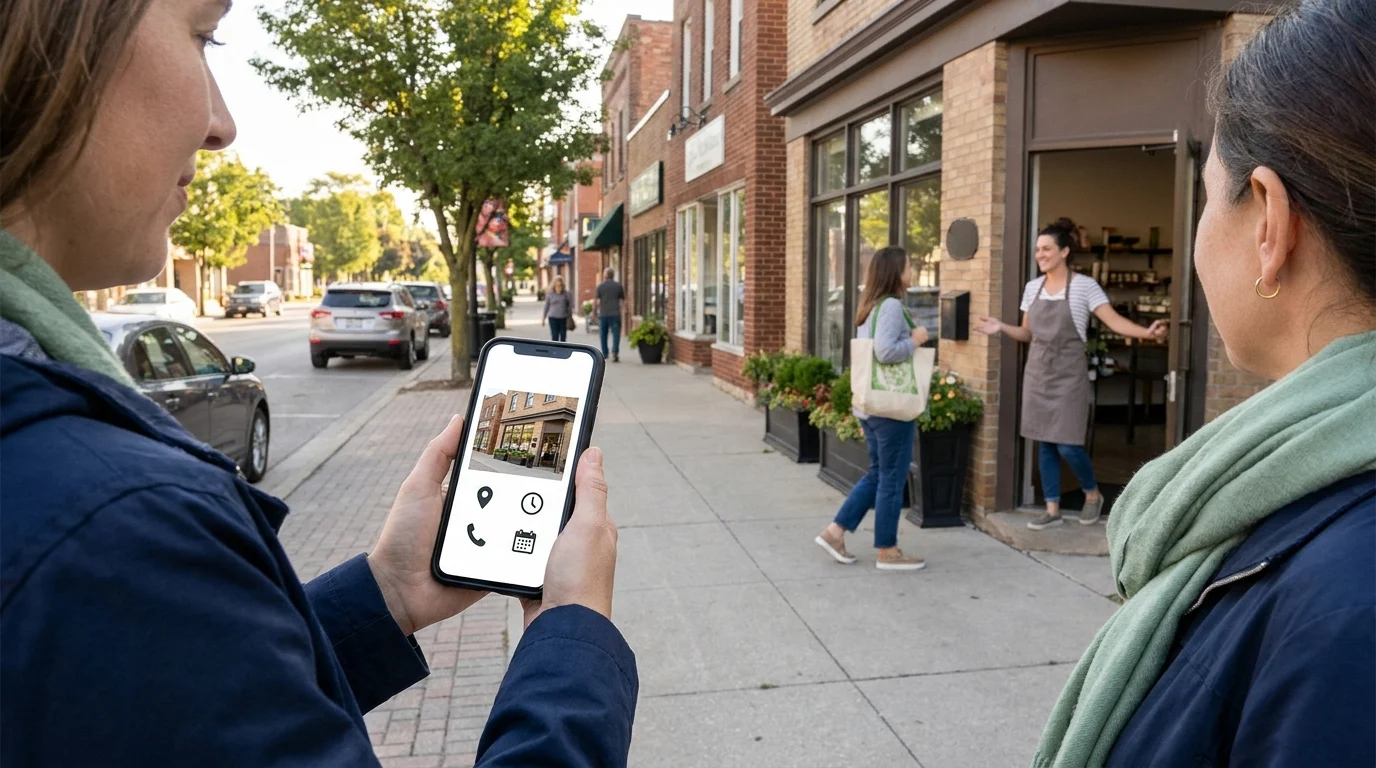


The phone rings while you’re pricing a job. Another call comes in from someone who needs service today. By Friday, you’ve answered enquiries, sent quotes and filled appointment slots. Then an advertising invoice arrives, and you’re guessing how much work it brought through the door.
That’s where call tracking for small business earns its place. For service owners in Kingsville, Ontario and the Windsor-Essex Region, it connects incoming calls with the sources that prompted them. You can start seeing which Smart Digital Doorway brings people to the phone, then check which enquiries progress to quotes, booked appointments and accepted paid work. Those distinctions matter when you’re deciding where next month’s budget goes.
Why Your Best Phone Leads Are Invisible Without Tracking
Your call history gives you numbers, timestamps and missed calls. The source usually stays hidden. Someone might have found your business through a neighbour, a Google search, a paid ad or the lettering on your truck. If everyone dials the same number, those routes arrive looking much the same.
During a busy week, the urgent details take over: the address, the problem, whether you can get there before closing. Asking how someone found you can slip through the cracks, especially when you’re answering with gloves on beside a running compressor.
“I Found You on Google” Leaves Questions
Even when you ask, the answer can be incomplete. “Google” could mean an ad, your Business Profile or an unpaid search result. A referral might search your name to find the number. Their answer describes the last thing they remember, which may cover only part of their route to calling.
A consistent source record gives you firmer ground. Call tracking can associate calls with assigned numbers or website visits, depending on the setup. Its accuracy depends on how you’ve configured it and which sources it can observe.
Busy Phones Can Hide Expensive Assumptions
Without that record, the loudest evidence tends to win. You remember a good customer mentioning your truck, or assume a new ad caused a busy Tuesday. Either could be true. Neither gives you a dependable basis for allocating spending.
To measure phone leads usefully, you need both the source and what happened afterwards. An enquiry, a quote, a booked appointment and accepted paid work represent different outcomes. Keeping them separate helps you judge whether a source brings suitable prospects and whether those prospects progress. That gives your next spending decision something concrete to rest on.
How Call Tracking for Small Business Works
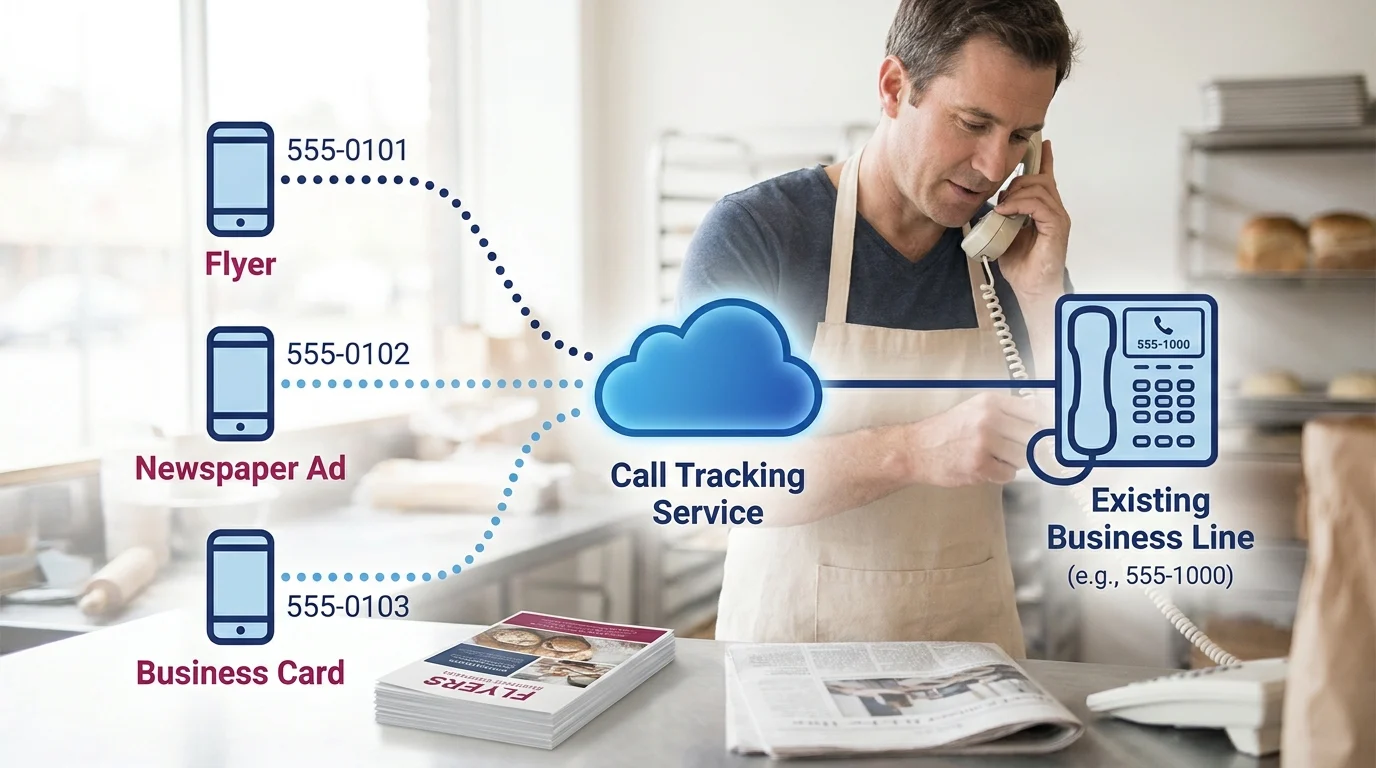
A call-tracking service supplies extra phone numbers that forward to your existing business line. Customers dial the displayed number, and you answer on the phone you already use. You can keep your established business number.
Assign a Number to Each Source
With source-specific tracking, you assign a forwarding number to each placement you want to measure. A flyer gets one number; a newspaper ad gets another. The service records which number received the call and routes it to your business.
This suits offline advertising and a small set of fixed placements. Keep each number exclusive to its assigned source: copying the flyer number onto another campaign mixes those calls together.
Swap Website Numbers Automatically
Dynamic number insertion uses a script installed on your website to change the displayed phone number according to the visitor’s source or session. The clickable phone link should change too.
Services such as CallRail and WhatConverts offer this approach. Depending on configuration, a visitor arriving through a tagged ad sees a tracking number associated with that visit. Calls still forward to your usual line.
Website swapping suits businesses comparing several online routes. Session-level tracking needs a number pool sized for concurrent visitors, plus correct installation and testing. Ask the provider how privacy settings and blocked scripts affect attribution.
Build Measurement Into the Doorway
Call tracking for small business gives a Smart Digital Doorway its measurement layer. The wider system attracts attention, answers questions, builds trust, captures leads, and converts prospects into customers.
Before relying on the records, test each forwarding number and the website’s tap-to-call links. Confirm that calls reach the right phone and appear under the expected source.
What the Call Data Actually Tells You
Useful call reports connect the source of an enquiry to what happened afterwards. To measure phone leads, you need both the call record and a staff member’s outcome note.
Record the Source and Outcome
Start a shared tracker with these fields: enquiry ID, source, call date and time, answered or missed, new or repeat enquiry, qualification status, quote status, appointment status, and accepted paid work status. Keep campaign spend separately by source and reporting period.
Define a qualified enquiry as someone requesting a service you provide, within your service area, with a plausible job to discuss. Mark suppliers, wrong numbers and unsuitable requests separately. Link repeat calls about the same request to its enquiry ID so follow-ups stay attached to one opportunity.
Find Gaps Between Calls and Work
Compare missed calls by day and hour. A cluster during lunch or while crews load trucks gives you a specific coverage problem to investigate. Review whether those callers reached someone later before counting them as lost opportunities.
Keep quotes, booked appointments and accepted paid work distinct. A booked estimate is an appointment; a customer accepting a priced job belongs under accepted paid work. This separation shows where enquiries stall and which sources produce work you actually want.
Calculate Cost per Qualified Lead
Divide a source’s campaign spend by its unique qualified enquiries for the same period. In a hypothetical example, $300 spent generating 6 qualified enquiries gives a cost of $50 per qualified lead.
Compare sources using that figure alongside accepted paid work. Call volume helps assess phone coverage; qualified enquiries help assess targeting. Small samples need caution, especially when quotes are still awaiting decisions.
A Local Contractor Example: Follow the Booked Jobs

Consider a hypothetical renovation contractor serving Kingsville, Ontario and the Windsor-Essex Region. They’re paying for Google Ads and a neighbourhood flyer drop, with a separate tracking number assigned to each source.
The following figures are invented to demonstrate the decision process. They’re neither benchmarks nor expected results from call tracking for small business.
Compare Sources Through to Accepted Work
For one reporting period, suppose Google Ads costs $800 and produces 16 unique enquiries. The flyers cost $400 and produce eight. On enquiry volume alone, both sources cost $50 per enquiry.
Now follow those enquiry IDs through the tracker. Google Ads produces 10 qualified enquiries, seven quotes, five booked estimate appointments and two accepted paid jobs. Flyers produce six qualified enquiries, four quotes, three booked estimate appointments and three accepted paid jobs.
Those stages can overlap within each enquiry. An appointment might lead to a quote and then accepted work; adding the columns together would count the same opportunity several times.
At this snapshot, advertising spend per accepted paid job is $400 for Google Ads and about $133 for flyers. That gives the owner a reason to investigate the flyer response further.
Make a Measured Spending Decision
Before shifting money, add accepted job value and estimated job margin to the tracker. A larger renovation could justify a higher acquisition cost, while several smaller jobs could consume awkward gaps in the crew’s schedule.
If the flyer jobs suit capacity and carry healthy margins, the contractor could test another small drop. If the advertising quotes remain promising, they could hold spending steady while decisions come in. This Smart Digital Doorway connects spending decisions to the work reaching the schedule.
What To Do Monday Morning
Choose Two Sources and Set Up the Numbers
Start with 2 sources you can control: a paid search campaign and a printed postcard. CallRail and WhatConverts are options to compare. Choose a call-focused setup for phone enquiries; consider broader lead tracking if forms also feed your quoting process. Confirm Canadian number availability, forwarding charges and current plan limits.
Assign each source its own tracking number and forward both to your existing business line. For website visitors, use the provider’s number-swapping script if you need attribution by traffic source. Keep your main number in business directories and your Google Business Profile; preserve consistent business names and addresses.
Test the Route and Assign the Log
Call each number from another phone. Check ringing, voicemail, after-hours routing and the source shown in the dashboard. If you’re using website number swapping, test a visit from the campaign and a direct visit separately.
Use the existing enquiry tracker. Alongside enquiry ID, source and outcomes, add call date, follow-up owner, next action and next-action date. Give 1 person responsibility for updating it daily. Keep quotes, booked estimate appointments and accepted paid work separately identifiable, with the same enquiry ID connecting repeat calls.
Set Privacy Rules and a Review Date
Leave recording off unless you have a defined need. If enabled, check applicable privacy requirements, explain the purpose, obtain appropriate consent, restrict access and set a deletion schedule. Call logs also contain personal information.
Schedule an initial review after 2 weeks, adjusting that example to your call volume and sales cycle. Check routing failures, missing outcomes and overdue follow-ups before comparing source performance. Give pending quotes time to reach a decision.
Key Takeaways

The useful habit is keeping the phone record connected to the decision that follows. Someone needs to know whether the caller was a fit, what was promised and where the enquiry stands. That connection makes call tracking for small business useful when you’re deciding where the next advertising dollar goes.
Keep the first setup small enough that your team can maintain it during a busy week. Add another source once the existing numbers route correctly and outcome logging holds up under normal working conditions.
Over time, this Data Driven Decisions Opportunity becomes a working part of your Smart Digital Doorway. You can trace enquiries through to accepted work, question weak assumptions and make measured changes while keeping unfinished opportunities visible. The value depends on that regular attention.
Want this fitted rather than figured out? Doorways Into Your Business helps owner-operators put systems like this in place. Book a free consultation.
Paul Hughes founded Doorways Into Your Business after more than five decades consulting across 30+ countries, from implementing early IBM email systems in the 1980s to running multi-million-dollar IT projects for global organizations. A St. Clair College graduate (1976), he settled in Kingsville, Ontario in 2019 to help local small businesses grow with practical “smart digital doorways”, websites, customer service, reviews, bookings, and payments, matched to what a business needs, not unnecessary technology.
All articles by Paul →